Spotify for Creators
- 3.7
- Rating
- 10.00M
- Installs
- Free
- Price

 Analysis by App-foxy
If you are starting a podcast and want one place to handle the publishing side, Spotify for Creators is a practical app to explore. I found it more focused than a regular listening app: its purpose is to help creators manage and grow a podcast rather than simply play music or shows. That difference matters from the first screen, because the useful parts are aimed at recording, organizing, publishing, and understanding how an audience responds.
Spotify for Creators is a free Music & Audio app from Spotify AB, available for Android and iOS. It is marked for Teen users, and the current version is 7.101.0.1395. The app has reached over 10 million installs, with a 3.7 average from around 84 thousand ratings and roughly 7.5 thousand written reviews. Those figures suggest a broad audience, although the rating also tells me that the experience will not suit every creator equally.
What to expect before you begin
The most important expectation to set is that this is a creator workspace, not a complete replacement for every part of podcast production. It can help you move a show forward, but your results still depend on your microphone, recording habits, editing choices, episode planning, and consistency. I would not install it expecting one tap to turn a rough idea into a polished radio program.
You May Also Like

 Blood Strike: 2.5 Anniversary
Blood Strike’s Loadouts Turn Every Drop Into a Tactical Gamble
A close look at Blood Strike’s custom loadouts: how fast access to signature weapons reshapes its battle royale rhythm, rewards preparation, and narrows the gap between fights.

 Pandora - Music & Podcasts
Pandora’s Music Is Easy to Start, but Harder to Recover
Pandora’s strength is its low-effort path from a seed to a station. Its weak spot is how much confidence it asks you to place in connection, setup, and quiet recovery.

 8 Ball Pool
 Is Built on Rivalries, Rematches, and Routine
A close look at the rivalries, rematches, shared routines, and unanswered safety questions that turn a quick pool match into a persistent mobile community.

 Samsung Music
’s Quiet Strength Is Playing What You Already Own
Its reach comes less from spectacle than from dependable access to a personal library. That simplicity is both the app’s strongest retention engine and its ceiling.

 AccuWeather: Weather Radar
AccuWeather Review: A Quick, Clear Forecast for Everyday Decisions
For everyday plans, the best forecast is the one you can understand quickly. AccuWeather makes rain timing, radar, and local conditions easy to act on, with a few trade-offs.

 Hill Climb Racing
Why Hill Climb Racing Still Turns Crashes Into One More Run
A tiny car, a bumpy hill and one more upgrade: Hill Climb Racing keeps resurfacing because its simple chaos makes every near-miss feel personal.
More From Our News Desk



For a first-time creator, the appeal is the reduced distance between having an idea and making it available to listeners. Instead of treating hosting, publishing, and audience growth as completely separate jobs, the app gives you a central place to begin learning that process. That is especially useful when you are still deciding whether your show should be a solo series, a conversation, a short news-style update, or a personal project.
The free price makes experimentation easier. You can test a show concept without committing money at the start, which is valuable if you are unsure whether you will enjoy the routine. I would still approach the app with a simple plan: decide the subject, choose a repeatable episode format, and prepare a short first recording before spending time on branding or promotion.
Spotify for Creators is a particularly sensible choice if your main goal is to get a podcast organized and moving. It is less compelling for someone who only wants to listen to music, discover podcasts, or manage a large personal audio library. Those jobs belong to Spotify’s listening experience, while this app is built around the person behind the show.
Who will benefit most from it
I think beginners will appreciate the app most when they need structure. A new creator often has several small questions at once: where the show belongs, how an episode is prepared, what listeners can see, and how to tell whether anyone is returning. Having these tasks connected makes the learning curve feel more manageable than assembling unrelated tools immediately.
It can also suit an existing creator who wants a mobile way to check the health of a show while away from a desktop. A teacher could use it to publish short lessons, a community group could share regular updates, and a small business could build an informative series without creating a complicated production department. In each case, the value comes from keeping the publishing routine visible and accessible.
I would skip it if you need a highly specialized audio workstation, detailed studio editing, or a platform chosen mainly for its social conversation features. A dedicated recording and editing tool may be better for intricate sound design, while another hosting service may fit a creator who wants a different distribution strategy. Spotify for Creators is strongest when simplicity and a direct path to podcast management matter more than deep production control.
Setting up your first show without getting lost
My advice is to begin with the smallest useful setup. Install the app, sign in, and identify the creator area rather than browsing as a listener. Then give your show a clear working identity. A name that is easy to say aloud and a description that explains the subject in one or two sentences will help you later, even if you change the presentation after publishing the first episode.
Do not spend your entire first session trying to make the page perfect. New creators often delay the actual recording because they are choosing artwork, rewriting a description, or debating a long list of episode ideas. I would prepare only what is needed to make the first episode understandable: a recognizable title, a focused description, and a short outline of what you intend to say.
A useful beginner workflow is to keep the first episode narrow. Instead of introducing every possible topic, answer one clear question or tell one complete story. This gives you a better test of the process. You will learn how long preparation takes, whether your microphone position works, and whether your speaking style sounds natural when played back.
Before recording, find a quiet place and keep the phone or microphone in a stable position. Even without discussing technical specifications, basic consistency makes a noticeable difference. If you record close to a hard wall, in a room with constant background noise, or while holding the device in your hand, the final result can be tiring to hear. A simple room with soft furnishings is often a better starting point than an impressive-looking but echoing space.
The first meaningful action
The first success I would aim for is not a perfect launch. It is completing a short episode and getting it ready for listeners. That single task teaches you more than filling out every setting in advance. Speak from a brief outline, listen back once, correct the most distracting problem, and move forward rather than endlessly polishing.
When reviewing your recording, listen for three things: can you understand every sentence, does the episode reach its point, and does the ending feel intentional? These checks are more useful for a beginner than obsessing over tiny imperfections. If the content is clear and the listener knows what to expect next, you have already created a workable foundation.
Use a repeatable episode pattern from the beginning. For example, open by stating the topic, explain the main idea, give an example, and close with a short summary. This approach makes recording less intimidating because you are not inventing the structure while speaking. It also helps listeners recognize the rhythm of your show over time.
After preparing the episode, read the title and description as if you had never heard of the show. Avoid vague labels that make the subject impossible to understand. A specific title gives a potential listener a reason to press play, while a useful description sets an honest expectation about the content and tone.
The app becomes more valuable after that first publication because you can treat the show as an ongoing project rather than a one-time experiment. I recommend choosing a realistic schedule instead of promising frequent episodes that quickly become exhausting. A slower routine that you can maintain is more useful than an ambitious launch followed by silence.
How to use audience information intelligently
Growth information can be encouraging, but it can also become a distraction. When you begin checking performance, look for patterns rather than celebrating or worrying about one result. Ask which topics hold attention, where listeners seem to lose interest, and whether episodes with clearer titles perform better. Those observations can guide your next recording without forcing you to copy someone else’s style.
One non-obvious habit is to write down your decision before checking the response. For example, note why you chose a particular topic, length, or opening. Later, compare the outcome with your original expectation. This turns the app’s management and growth tools into a learning journal instead of a source of random emotional reactions.
Another useful approach is to compare episodes by purpose. A short introductory episode should not be judged in exactly the same way as a detailed discussion. If you mix announcements, evergreen explanations, and personal stories, label them clearly in your own notes so you can understand what kind of content attracts the right audience.
Do not assume that a larger number automatically means a healthier show. A smaller group of listeners who return for the subject you care about may be more valuable than a brief spike caused by a title that does not match the actual episode. The app can help you observe activity, but you still have to decide what kind of audience you want to build.
Common points of confusion and everyday use
One common confusion is treating the creator app as if it were the same as the regular Spotify listening app. The names are closely related, but the jobs are different. If you want to find an album or follow a show as a listener, use the listening experience. If you are trying to organize and grow your own podcast, this is the more relevant tool.
Another point of friction is expecting the mobile app to remove every production problem. It can simplify the creator workflow, but it cannot make an unclear script clear or fix a recording captured in a noisy environment. I found that the best results come from using the app for management and publishing while keeping a disciplined approach to preparation and review.
Creators may also wonder whether they need a full studio before starting. In my view, no. A quiet room, a basic recording setup, and a focused idea are enough to test whether podcasting suits you. Upgrade your equipment only after you can identify a real limitation, such as distracting background noise or inconsistent volume. Buying gear before developing a publishing habit often creates expense without solving the main problem.
A realistic everyday scenario would be a commuter who has an idea during the morning, records a short outline during a break, and prepares the episode later at home. The app is useful in that situation because the project remains close at hand rather than locked to a desktop. Still, I would avoid publishing impulsively from a noisy public place. Capture the idea there, then record the final version when your surroundings are under control.
For a small organization, I would create a simple approval routine before anything goes live. One person can prepare the episode, another can listen for factual or audio mistakes, and the creator can then publish the final version. This is a practical trade-off: the app may make publishing accessible, but accessibility can also make it easy to release something before it has been checked.
People who collaborate should agree on file naming, episode order, and who owns the final decision. Even a two-person show can become confusing when one person edits a recording, another changes the description, and neither knows which version is ready. A shared checklist outside the app can prevent that confusion without adding much work.
Where another option may be better
If your priority is advanced editing, look for a dedicated audio editor and use Spotify for Creators as part of the wider publishing process. Detailed noise repair, layered music, complex transitions, and precise mixing usually require tools designed specifically for those tasks. The creator app is not the right place to force a professional studio workflow into a phone-sized routine.
If your priority is reaching listeners across a broad range of services, compare hosting options before committing your whole strategy. Spotify for Creators is a natural fit for someone who wants a close connection with Spotify’s audience and a straightforward creator experience. Another host may be preferable if your organization already relies on a different distribution system or needs specialized controls that are central to its work.
If you only want to publish occasional private audio for a small group, a shared file service or a private communication platform might be simpler. A public podcast workflow can be unnecessary when the audience is limited to a class, family, or internal team. The right choice depends on whether you want an ongoing show with discoverability or merely a convenient way to send recordings.
The next step after your first episode
Once the first episode is available, resist the urge to redesign everything immediately. Publish or prepare a second episode with the same basic structure, then compare the experience. Repetition reveals practical problems that planning cannot: an opening that takes too long, a topic that is difficult to explain, or a recording routine that is too demanding for your schedule.
I would also create a small topic bank. Keep several ideas with a one-sentence explanation and a possible listener benefit. When it is time to record, you can choose from prepared material instead of waiting for inspiration. This is one of the simplest ways to make the app’s growth purpose useful, because consistent publishing begins with having the next idea ready.
Use descriptions to help people decide whether an episode is for them. Explain the question being answered, the story being told, or the practical result a listener can expect. Avoid stuffing descriptions with unrelated terms. Clear language is better for real people and makes it easier for you to remember what each episode contributes to the show.
Review your own listening experience after each release. Play the opening while doing another task and notice whether it earns your attention. Check whether the episode ends cleanly and whether the title still matches the content. These small tests are more actionable than chasing a vague idea of becoming popular.
There is also a useful emotional boundary to keep. Audience feedback and performance information can guide decisions, but they should not dictate every creative choice. If you change your subject after every result, the show may lose its identity. I prefer using the app to spot repeated signals, then making changes that still fit the reason I started the podcast.
For a first-time user, the path is reassuringly simple when broken into stages: establish the show, prepare one focused episode, listen back, publish carefully, and learn from the next one. You do not need to master every creator task before taking the first step. The app works best when you use it as a steady workspace rather than a shortcut around the craft of making audio.
My final view is positive, with clear limits. Spotify for Creators is a sensible free starting point for managing and growing a podcast, especially if you want an approachable mobile workflow and a direct connection to Spotify’s ecosystem. Its Teen rating and broad install base make it easy to consider for many new creators, while the 3.7 average reminds me that expectations should stay realistic.
I would recommend it to a beginner who wants to turn an idea into a real publishing routine without building a complicated technical setup first. I would not recommend relying on it alone for demanding audio production, private sharing, or highly specialized hosting needs. Start with one useful episode, learn the workflow, and let your actual limitations—not assumptions—tell you when another tool is necessary.
FAQs for Spotify for Creators
01What is Spotify for Creators?
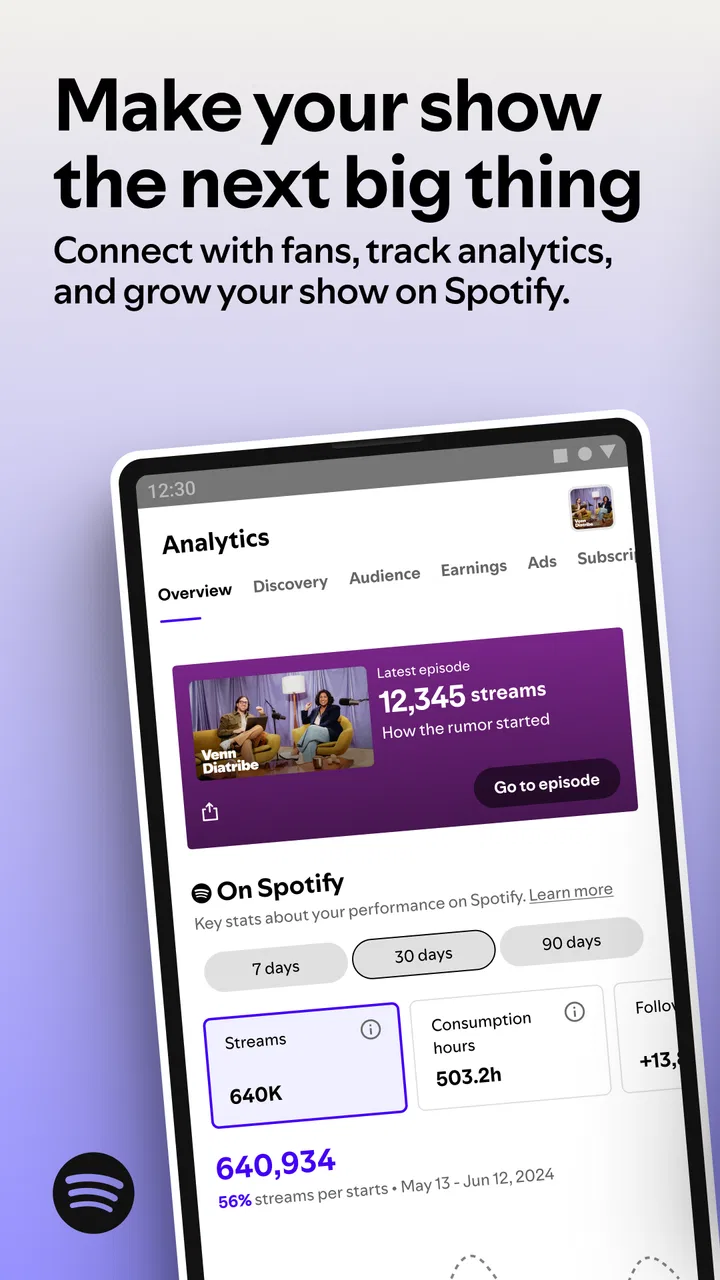
Spotify for Creators is a dedicated platform designed to help artists, podcasters, and content creators manage their presence on Spotify. It provides insights into audience demographics, streaming statistics, and offers tools for promoting content. This platform helps creators understand their impact and grow their audience effectively.
02How can I access Spotify for Creators?
To access Spotify for Creators, you need to first create a Spotify account if you don’t already have one. Then, visit the Spotify for Creators website and sign in with your Spotify credentials. You may need to verify your identity as a creator or artist to gain full access to all features.
03What features does Spotify for Creators offer?
Spotify for Creators offers a range of features including analytics on how your content is performing, audience insights, and promotional tools. It provides data on streams, listener demographics, and playlist placements. Additionally, it allows you to update your profile, pitch new releases to playlists, and engage with fans directly.
04Is there a cost associated with using Spotify for Creators?
No, Spotify for Creators is free to use for all registered artists, podcasters, and content creators. Spotify aims to support creators in managing and promoting their work without any additional financial burden. However, additional promotional tools or services outside of Spotify may incur costs.
05Can I use Spotify for Creators on mobile devices?
Yes, Spotify for Creators can be accessed on mobile devices through the Spotify for Artists app, available for both Android and iOS. This app provides most of the features available on the desktop version, allowing creators to manage their profiles and view analytics on the go.
Pros
- Easy-to-use interface for creators.
- Detailed analytics on song performance.
- Seamless integration with Spotify.
- Access to fan engagement tools.
- Regular updates with new features.
Cons
- Limited customization for artist profiles.
- Some analytics features require premium.
- Mobile app lacks some desktop features.
- Limited support for non-music creators.
- Occasional sync issues with other platforms.

Spotify for Creators
Gallery